Step 1
Open the overview
Choose Dashboard → Overview to see organization level compliance and the latest summaries for each security control.
Customer documentation
Use the Essential Eight workspace to review control posture, investigate endpoint evidence, and prioritize remediation.
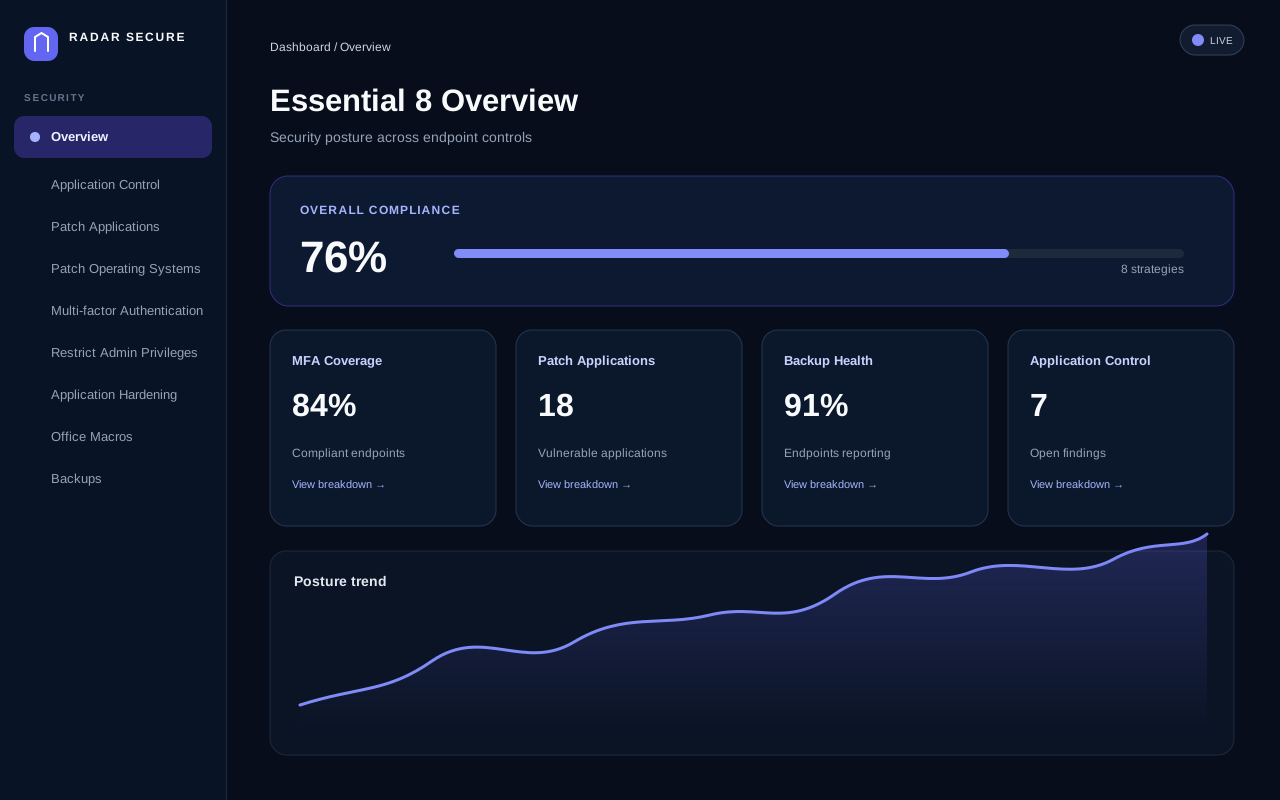
Step 1
Choose Dashboard → Overview to see organization level compliance and the latest summaries for each security control.
Step 2
Select a metric card to open its breakdown. Use the control link in the detail panel to review endpoint level evidence and findings.
Step 3
Open Analytics → Security Posture to filter software findings by tenant, endpoint status, operating system, architecture, severity, CVSS score, and CVE.
Step 4
Navigate to Analytics → Security Posture or Dashboard → Risk Insights to audit AWS across 13 controls and Microsoft Entra ID across 12 controls against ACSC Essential Eight maturity levels, with one-click executive PDF exports.
Step 5
Maturity badges summarize the control compliance percentage. Use the detailed control page to review the source values before planning remediation.
Step 6
Open Analytics → Compliance Trends to analyze compliance velocity across 7D to 180D horizons, track per-strategy score deltas against the ACSC ML2 (85%) target, and review audit milestones.
Step 7
Navigate to Analytics → Reports to generate audit-ready documentation across 5 pre-configured templates, preview findings in real time, and download executive summaries in PDF, CSV, or JSON.
Step 8
When cloud telemetry requires higher tier subscriptions (such as Entra ID P1/P2 or AWS GuardDuty), view highlighted tier-gated controls and actionable prerequisite guidance without treating missing tiers as control failures.